

58mm thermal printer how to print NV logo
Hans
Original
2014-12-01 17:52:22
58mm thermal printer how to print NV logo
keywords: 58mm thermal printer, 58mm receipt printer, thermal printer factory
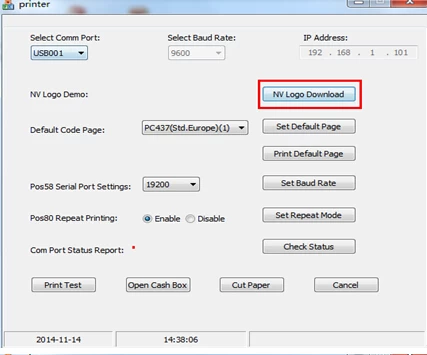
First, open the CD with the goods in the Printer Setter software Download NV Flash logo to the printer in storage.
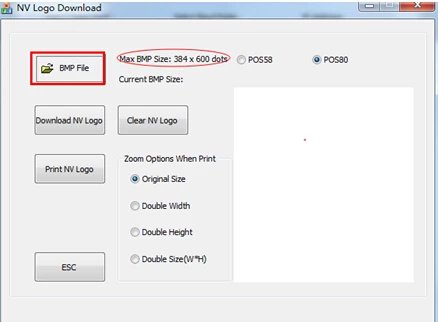
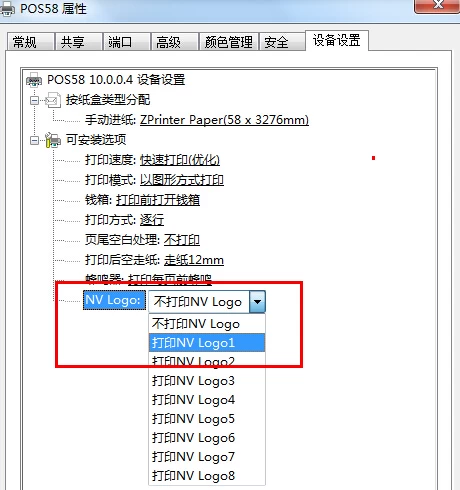
After the download is complete find POS58 driver in the "Devices and Printers", open the driver's properties, in "Device Settings" to adjust the logo to be printed