


Thermal printer Drive Cash drawer setting method
Hans
Original
2015-12-25 15:26:55
Thermal printer Drive Cash drawer setting method
Thermal printer, cash drawer, thermal printer factories,
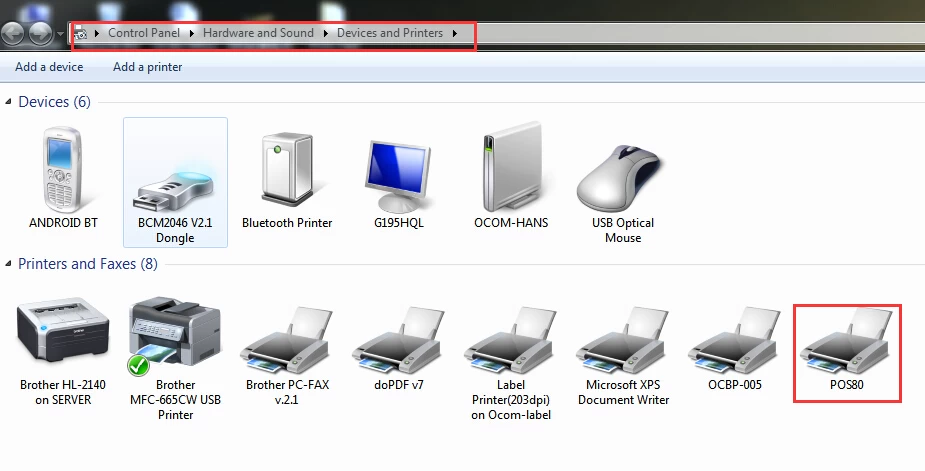
First, install the driver, the device and the printer, right-click POS80 select "Printer Properties"
2, in the new pop-up window below, select the Device Settings
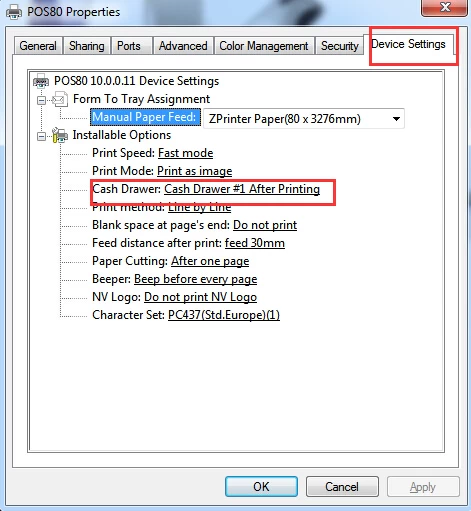
1, Select the cash box options, in the expanded list, select the time you want to open the cash box
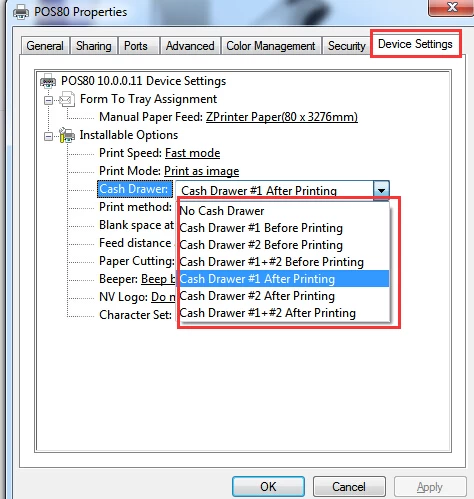
After selecting the time to open the cash box, click Apply or OK, you can set up successfully.